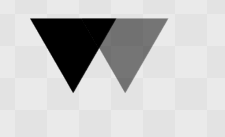
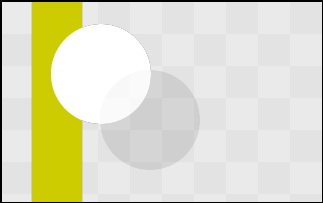
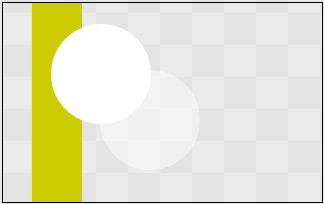
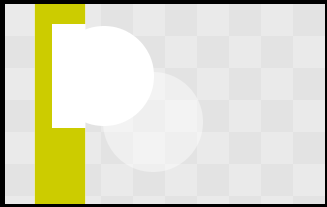
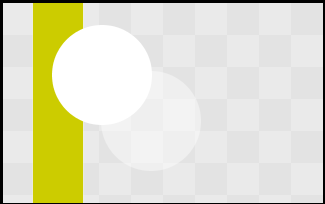
I tried to simplify the problem by using triangles instead of textured quads. The result is the same:
package JOGL;


import java.awt.*;
import java.awt.image.*;
import java.awt.event.*;
import javax.swing.*;
import net.java.games.jogl.*;


public class PBDemo extends JFrame implements GLEventListener {
  private static int        maxPbufferWidth = 720;
  private static int        maxPbufferHeight = 576;
  private GLDrawable        pbuffer;
  private BufferedImage     pbImage;
  private DataBufferInt     dbInt;

  private JLabel            label;
  private ImageIcon         image;
  private JScrollPane       scrollPane;

  public PBDemo() {
    setTitle( "Pbuffer Demo" );
    setSize( 640, 480 );

    // Create a temporary window to create a GLCanvas
    // that is never displayed on screen.
    Window tempWindow = new Window( this );
    tempWindow.setSize( 0, 0 );
    GLCanvas tempCanvas = GLDrawableFactory.getFactory().createGLCanvas( new GLCapabilities() );
    tempWindow.add( tempCanvas );
    tempWindow.setVisible( true );

    // Create a GLCapabilities object for the pbuffer
    GLCapabilities pbCaps = new GLCapabilities();
    pbCaps.setAlphaBits( 8 );
    pbCaps.setDoubleBuffered( false );
    pbuffer = tempCanvas.createOffscreenDrawable( pbCaps, maxPbufferWidth, maxPbufferHeight );
    // PBuffers are lazily created so the tempCanvas needs to run
    // through its display method once.
    tempCanvas.display();

    // Create the BufferedImage that will hold the pixel data
    // from the pbuffer.
    pbImage = new BufferedImage( maxPbufferWidth, maxPbufferHeight, BufferedImage.TYPE_INT_ARGB );
    // dbByte is the array that the pbuffer pixel data is stored in.
    dbInt = (DataBufferInt)pbImage.getRaster().getDataBuffer();
    pbuffer.addGLEventListener( this );
    pbuffer.display();

    // Display the pbuffer in a JScrollPane
    image = new ImageIcon( pbImage );
    label = new JLabel( image );
    scrollPane = new JScrollPane( label );
    getContentPane().add( scrollPane );


    addWindowListener(new WindowAdapter() {
      public void windowClosing(WindowEvent e) {
        dispose();
        System.exit(0);
      }
    });
    setVisible( true );
  }

  public void displayChanged(GLDrawable gLDrawable, boolean modeChanged, boolean deviceChanged) {
  }

  public void init( GLDrawable drawable ) {
    GL gl = drawable.getGL();
    gl.glClearColor( 0.0f, 0.0f, 0.0f, 0.0f );
    gl.glColor4f( 1.0f, 1.0f, 1.0f, 1.0f );
    System.out.println("init");
    reshape( drawable, 0, 0, maxPbufferWidth, maxPbufferHeight );
  }

  public void display( GLDrawable drawable ) {
    GL gl = drawable.getGL();
    System.out.println("display");
    gl.glClear(GL.GL_COLOR_BUFFER_BIT | GL.GL_DEPTH_BUFFER_BIT);
    gl.glLoadIdentity();                                                      // Reset The View
    gl.glTranslatef(0.0f,0.0f,-5.0f);

    gl.glEnable(GL.GL_BLEND);
    gl.glBlendFunc(GL.GL_SRC_ALPHA,GL.GL_ONE_MINUS_SRC_ALPHA);

    gl.glColor4f(0f,0f,0f,1f);
    gl.glBegin( GL.GL_TRIANGLES );
      gl.glVertex3f( 0.0f, 0.0f, 0.0f );
      gl.glVertex3f( 1.0f, 0.0f, 0.0f );
      gl.glVertex3f( 0.0f, 1.0f, 0.0f );
    gl.glEnd();

    gl.glTranslatef(.5f,0.0f,0.0f);

    gl.glColor4f(0f,0f,0f,.5f);
    gl.glBegin( GL.GL_TRIANGLES );
      gl.glVertex3f( 0.0f, 0.0f, 0.0f );
      gl.glVertex3f( 1.0f, 0.0f, 0.0f );
      gl.glVertex3f( 0.0f, 1.0f, 0.0f );
    gl.glEnd();

    gl.glLoadIdentity();                                                      // Reset The View


    // Because opengl's origin is the lower left corner and java's origin
    // is the upper right corner that image will be flipped upside down.
    gl.glReadBuffer( GL.GL_FRONT );
    gl.glReadPixels( 0, 0, maxPbufferWidth, maxPbufferHeight, GL.GL_BGRA, GL.GL_UNSIGNED_BYTE, dbInt.getData() );
    gl.glFlush();
  }

  public void reshape( GLDrawable drawable, int x, int y, int width, int height ) {
    GL gl = drawable.getGL();
    GLU glu = drawable.getGLU();

    if (height <= 0) // avoid a divide by zero error!
        height = 1;
    final float h = (float)width / (float)height;
    gl.glViewport(0, 0, width, height);
    gl.glMatrixMode(GL.GL_PROJECTION);
    gl.glLoadIdentity();
    glu.gluPerspective(45.0f, h, 1.0, 20.0);
    gl.glMatrixMode(GL.GL_MODELVIEW);
    gl.glLoadIdentity();
  }

  public static void main( String[] args ) {
    PBDemo demo = new PBDemo();
  }
}
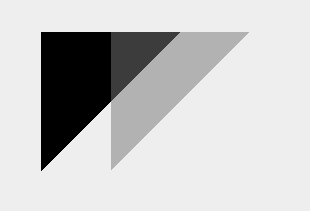
The second triangle is 50% opaque and should not appear over the black 100% opaque triangle.
opengl:
java2d: