I have create a simple start exemple, folling some code of source tutorial, Start well, but create a confez image, distorced like below…
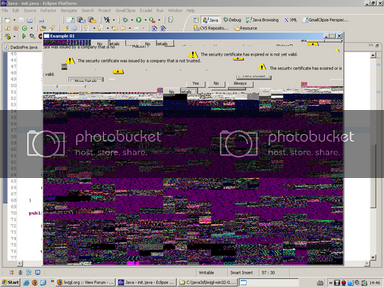
What can I do to fix it?
Thanks all!

I have create a simple start exemple, folling some code of source tutorial, Start well, but create a confez image, distorced like below…
What can I do to fix it?
Thanks all!
Please post source code.
It looks like you might not be clearing your color and depth buffers.
JW
Thanks anarcotron, The code follows below…
package org.gldemos;

import org.lwjgl.LWJGLException;
import org.lwjgl.Sys;
import org.lwjgl.opengl.Display;
import org.lwjgl.opengl.DisplayMode;
import org.lwjgl.opengl.GL11;

/**
 * @author inocencio
 *
 * TODO To change the template for this generated type comment go to
 * Window - Preferences - Java - Code Style - Code Templates
 */
public class init {

	private DisplayMode chosenModel = null;
	private boolean running = true;

	int width = 800;
	int height = 600;

	init() {

		try {

			DisplayMode[] modes = Display.getAvailableDisplayModes();

			for (int i=0; i < modes.length; i++) {

				if ((modes[i].getWidth() == width) && (modes[i].getHeight() == height)) {
					chosenModel = modes[i];
					break;
				}
			}

		}	catch(LWJGLException ex) {
			Sys.alert("Error", "Unable to determine display mode");
			System.exit(0);

		}

		if (chosenModel == null) {
			Sys.alert("Error","Unable to find display mode");
			System.exit(0);
		}

		try {
			Display.setDisplayMode(chosenModel);
			Display.setTitle("Example 01");
			Display.create();
		}	catch(LWJGLException ex) {
			Sys.alert("Error","Unable to create display");
			System.exit(0);
		}

		//seta um background
		GL11.glClearColor(0,0,0,0);

		runningGame();

	}

	public void runningGame() {

		float pos = 0.0f;

		//renderiza usando OpenGL

		while(running) {

			pos += 0.01f;
			GL11.glBegin(GL11.GL_QUADS);
	          GL11.glVertex3f(0,0,pos);
	          GL11.glVertex3f(1,0,pos);
	          GL11.glVertex3f(1,1,pos);
	          GL11.glVertex3f(0,1,pos);
	        GL11.glEnd();

	        Display.update();

	        if (Display.isCloseRequested())
	        	running = false;
		}

		Display.destroy();
		System.exit(0);
	}

	public static void main(String[] args) {

		new init();
	}
}
Yes you need to call GL11.glClear(GL11.GL_COLOR_BUFFER_BIT | GL11.GL_DEPTH_BUFFER_BIT) prior to your rendering.
I have put the line that you show me into main loop
		while(running) {
			GL11.glClear(GL11.GL_COLOR_BUFFER_BIT | GL11.GL_DEPTH_BUFFER_BIT);

			pos += 0.01f;
			GL11.glBegin(GL11.GL_QUADS);
	          GL11.glVertex3f(0,0,pos);
	          GL11.glVertex3f(1,0,pos);
	          GL11.glVertex3f(1,1,pos);
	          GL11.glVertex3f(0,1,pos);
	        GL11.glEnd();

	        Display.update();

	        if (Display.isCloseRequested())
	        	running = false;

	        if (Keyboard.isKeyDown(Keyboard.KEY_ESCAPE))
	        	running = false;
		}
The screen start and continues in full black. Vertex3f can render a Square or Triangle?
Also in your code you never setup the projection matrix. This very same problem was discussed here:
Last but not least you never define the color…
You need the RedBook, shouldn’t be hard to find with Google.
Thanks all. I will checkout the “RedBook”, its the real title?
thaks for support me anarchotron! =D